MIDI vs. Audio: Performance Instructions and Recorded Sound
Published November 12, 2026
MIDI describes a musical performance using messages such as note-on, note-off and control changes. Audio represents the resulting sound. A MIDI file needs an instrument or sound engine to play it; an audio file contains a sound signal that an audio player can reproduce.
Think of a short piano phrase. Its MIDI can describe which notes begin and when. Its rendered audio captures how a particular piano sound, performance settings and processing actually sounded.
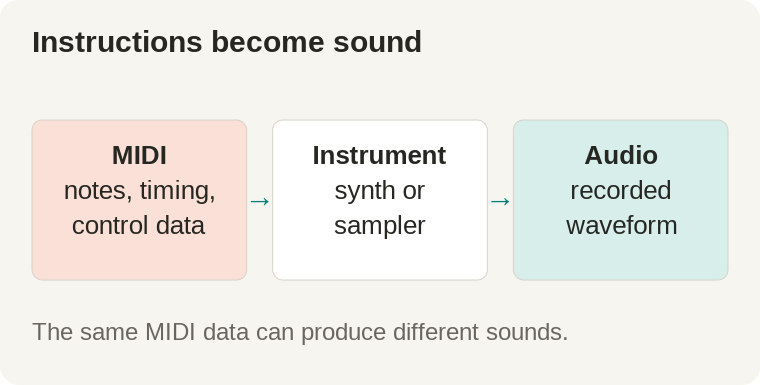
Changing the instrument changes the sound without requiring different note instructions.
What MIDI can describe
The MIDI Association’s overview explains how MIDI carries performance instructions between compatible devices and software. Notes, their timing, velocity and many other controls can be stored or transmitted without storing a recording of the instrument.
A note-on message asks an instrument to begin a note. Its velocity is commonly used to influence loudness and sometimes tone, depending on the receiving instrument. A note-off tells the instrument the note has been released; an envelope or pedal setting can allow sound to continue afterward.
MIDI can also carry pitch bend, pedal information and other expressive controls. It is not inherently emotionless, and expressive playing is not automatically lost. What is retained depends on the controller, messages, recording and playback instrument. Focusrite’s MIDI introduction lists several of these message types.
Editing MIDI lets you move a note, change its duration, transpose a phrase or assign another instrument. The result still depends on the sound engine interpreting those instructions.
What audio preserves
Digital audio stores a representation of a sound signal. A recording can include the instrument’s tone, room sound, processing and performance details within the limits of the recording chain and format. A render can capture the output of a software instrument without using a microphone.
Audio is editable too. You can cut it, change its level, add effects and use pitch or time processing. Some changes may introduce artifacts, and separating one note from a finished mix is a different problem from moving a MIDI note before rendering.
For example, changing a MIDI piano part to a synth is a straightforward instrument assignment. Replacing only the piano inside a mixed stereo audio file usually requires separating or reconstructing that part. Keeping stems and the source project makes later revisions easier.
Choose the format for the next step
| You want to… | Useful material to keep |
|---|---|
| Change individual notes or transpose a part | MIDI or the editable source score |
| Hear the intended instrument and effects reliably | Rendered audio |
| Rebalance parts in another project | Separate audio stems and, where useful, MIDI |
| Preserve room sound or a particular recorded performance | The audio recording |
A MIDI file does not bundle every synthesizer preset, sample library or effect used to make the audio. Moving it to another player can therefore change the sound. Audio preserves the rendered result, but does not automatically preserve the editable composition behind it.
How this works in Soundroo
Soundroo uses an editable score describing notes, instruments and timing. Its renderer turns that score into audio. It can also export supported note data and program mappings as MIDI.
That MIDI export does not preserve Soundroo’s exact timbres, effects or processed speech and noise. Keep the score for revisions and the WAV for the sound you approved. MIDI is useful when you want supported musical parts in another compatible editor.
Ask your agent to make one four-bar phrase, then export both WAV and MIDI. Open the MIDI with a different instrument and compare it with the WAV. The notes can agree while the timbre changes.